
·您现在的位置: 云翼网络 >> 文章中心 >> 网站建设 >> 网站建设开发 >> ASP.NET网站开发 >> 文件读写,改进版
- [视频教程]北大青鸟ASP.NET教程第14讲
- [视频教程]北大青鸟ASP.NET教程第8讲
- 重拾《重构-改善既有代码的设计》
- 如何得到Sessionid的值
- 函数调用、枚举
- 地区的三级联动
- 菜鸟学习Ado.net笔记一:Ado.net学习之SqlHelper类
- netMVC 搭建Ucenter 同步登陆退出discuz
- 2个页面间不通过Session与url的传值方式
- 五种常见的ASP.NET安全缺陷
- 小组件---快递查询组件
- .net之工作流工程展示及代码分享(三)数据存储引擎
- agsxmpp
- 页面刷新后WebControl的动态添加内容不重生成的解决方案
- MicrosoftVisualStudio2013Update1离线安装程序
- 代码审查和不良编程习惯
- [C#]读取文件大小
- ASP.NET2.0中用ICallbackEventHandler实现客户端与服务器端异步交互
- WebService支持多平台上传文件的实现
- ADO.NET入门
- IBatisNet系列-执行存储过程
- ASP.NET - 如何:以编程方式验证 ASP.NET 服务器控件
- ASP.NET用户控件事件的定义和实践
- 从asp.net页面发送电子邮件
- 虚拟主机上asp.net运行权限不足问题及解决
- 新手浅谈C#Task异步编程
- SQL存储过程在.NET数据库中的应用
- Asp.Net使用加密cookie代替session验证用户登录状态 源码分享
- 爱与恨的抉择:ASP.NET 5+EntityFramework 7
- 【ASP.NET进阶】定时执行任务实现(定时读取和修改txt文件数字内容,无刷新显示结果)
文件读写,改进版
作者:佚名 ASP.NET网站开发编辑:admin 更新时间:2022-07-23
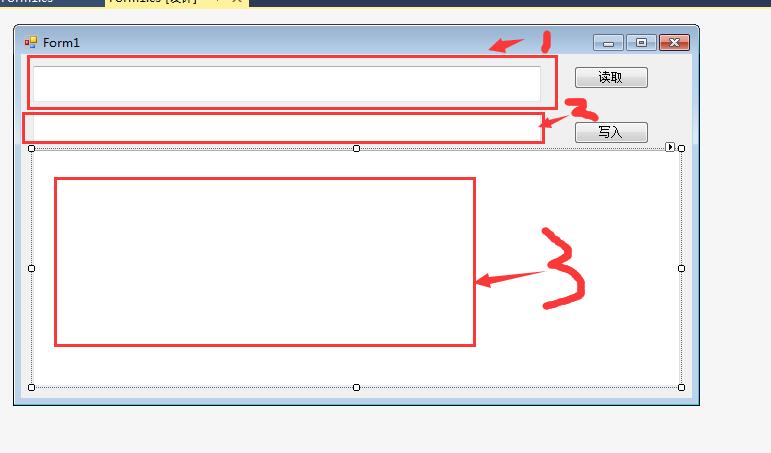
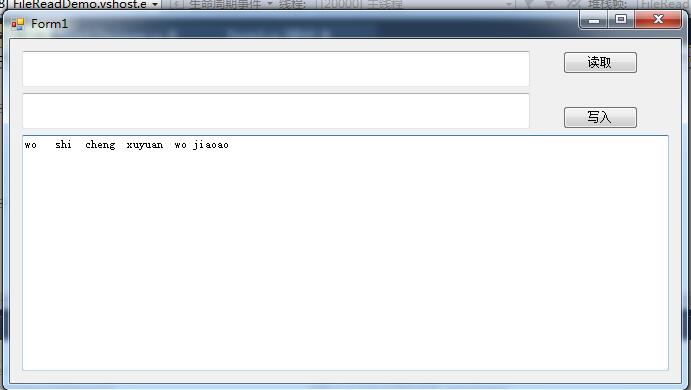
文件读写:需要实现的功能是:点击1,弹出文件打开对话框OpenFiledialog,选择要读取的文件,点击确定之后,把文件的路径显示在1上,然后点击读取,把文件的内容显示在3上面;
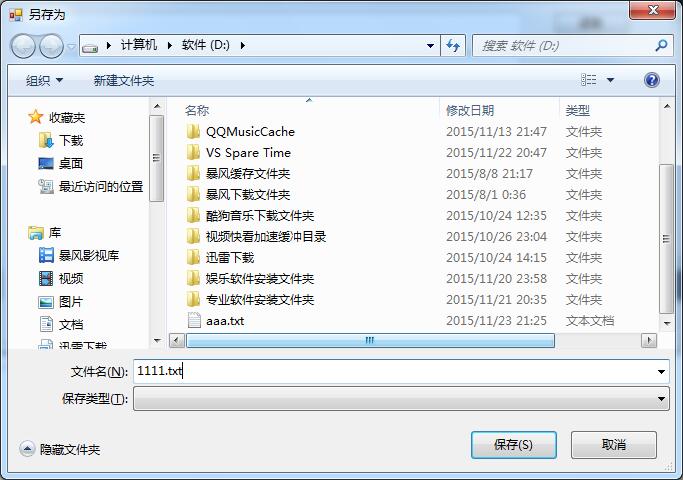
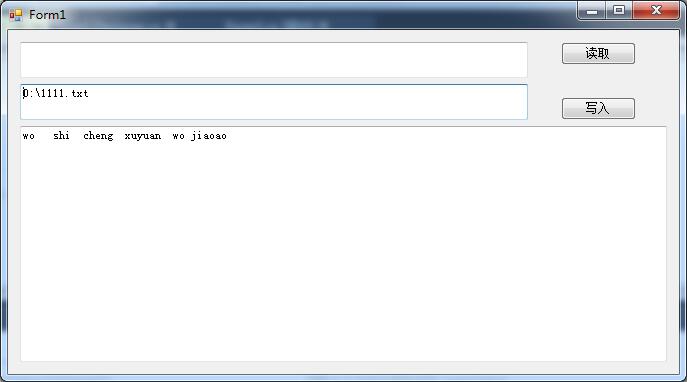
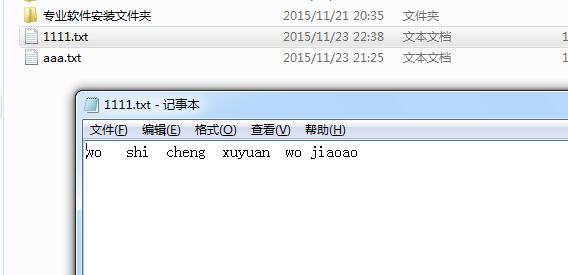
同理,文件的写入,我们在3中写好内容之后,点击2,弹出文件保存对话框SaveFiledialog,然后选择好路径之后,点击写入,就将我们在3中写好的内容,保存在指定的路径了。
现在实现功能:
   PRivate void txtReadPath_Click(object sender, EventArgs e)
        {
            //打开文件对话框
            using (OpenFileDialog openFileDialog = new OpenFileDialog())
            {
                if (openFileDialog.ShowDialog() == DialogResult.OK)
                {
                    //显示文件的全路径
                    txtReadPath.Text = openFileDialog.FileName;
                }
            }
        }

        /// <summary>
        /// 读取文件
        /// </summary>
        /// <param name="sender"></param>
        /// <param name="e"></param>
        private void btnNewRead_Click(object sender, EventArgs e)
        {
            //创建文件流(读文件的时候,FileMode选择Open)
            using (FileStream fileRead = new FileStream(txtReadPath.Text,FileMode.Open))
            {
             //创建btpe数组
                byte [] fileByte=new byte[fileRead.Length];

                //把文件数据读取到数组中
                fileRead.Read(fileByte, 0, fileByte.Length);


                //现在将数据转化为string格式的数据,好显示在txt控件中,通过下面的方法把byte数组转化为string字符串
              txtContent.Text= Encoding.Default.GetString(fileByte);

            }
        }
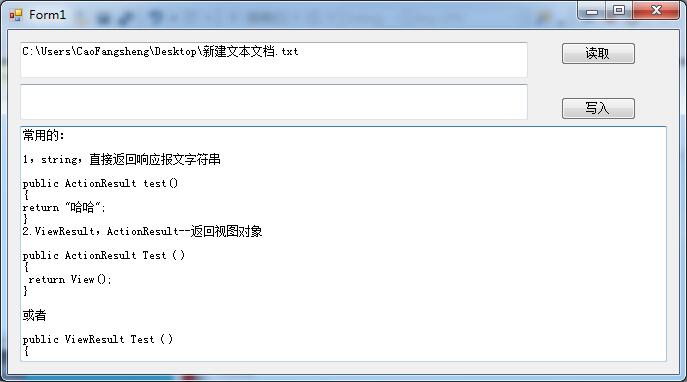
这部分就实现了读取文件的数据到文本框中,其中Encoding.Default.GetString这个方法只能,读取文本文件。不能读取Word,所谓文本文件就是可以用记事本打开的。
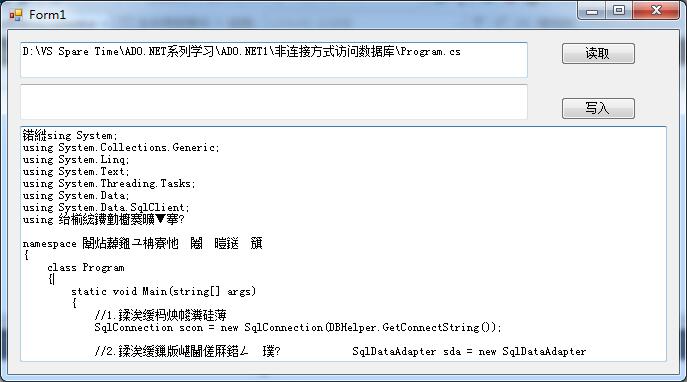
 Encoding.Default.GetString这个方法还有个问题,会乱码:

解决方法:
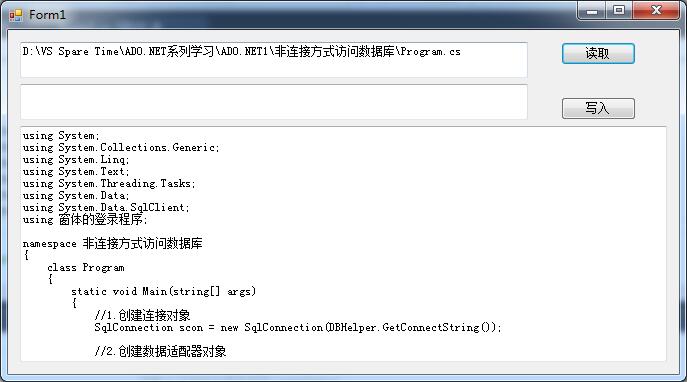
 txtContent.Text = Encoding.GetEncoding("utf-8").GetString(fileByte);
修正之后:


好了,下面开始文件的写入功能实现:


步骤:我们先在文本框中输入内容,然后点击第二个文本框,弹出保存对话框,我们选择路径,输入要保存的名字(带上后缀)。然后点击保存。
所有的代码如下:
using System;
using System.Collections.Generic;
using System.ComponentModel;
using System.Data;
using System.Drawing;
using System.IO;
using System.Linq;
using System.Text;
using System.Threading.Tasks;
using System.Windows.Forms;

namespace FileReadDemo
{
    public partial class Form1 : Form
    {
        public Form1()
        {
            InitializeComponent();
        }


        private void txtReadPath_Click(object sender, EventArgs e)
        {
            //打开文件对话框
            using (OpenFileDialog openFileDialog = new OpenFileDialog())
            {
                if (openFileDialog.ShowDialog() == DialogResult.OK)
                {
                    //显示文件的全路径
                    txtReadPath.Text = openFileDialog.FileName;
                }
            }
        }

        /// <summary>
        /// 读取文件
        /// </summary>
        /// <param name="sender"></param>
        /// <param name="e"></param>
        private void btnNewRead_Click(object sender, EventArgs e)
        {
            //创建文件流(读文件的时候,FileMode选择Open)
            using (FileStream fileRead = new FileStream(txtReadPath.Text,FileMode.Open))
            {
             //创建btpe数组
                byte [] fileByte=new byte[fileRead.Length];

                //把文件数据读取到数组中
                fileRead.Read(fileByte, 0, fileByte.Length);


                //现在将数据转化为string格式的数据,好显示在txt控件中,通过下面的方法把byte数组转化为string字符串
              //txtContent.Text= Encoding.Default.GetString(fileByte);   //这个方法会乱码、
                txtContent.Text = Encoding.GetEncoding("utf-8").GetString(fileByte);

            }
        }

        /// <summary>
        /// 文件写入
        /// </summary>
        /// <param name="sender"></param>
        /// <param name="e"></param>
        private void textWritePath_Click(object sender, EventArgs e)
        {
            //创建文件保存对话框
            using (SaveFileDialog saveFileDialog = new SaveFileDialog())
            {

                if (saveFileDialog.ShowDialog() == DialogResult.OK)
                {
                    //全路径
                    textWritePath. Text = saveFileDialog.FileName;
                }
            }
        }


        private void btnWrite_Click(object sender, EventArgs e)
        {

            //将内容写入到指定的路径文件中
            using (FileStream fileWrite = new FileStream(textWritePath.Text.Trim(),FileMode.Create))
            {

                //Write方法,需要传入Byte数组,这个时候,就有个问题了,我们在文本控件中,输入的内容是字符串的,不过同理,字串串也可以转化为byte数组

                byte [] fileWriteByte=Encoding.GetEncoding("utf-8").GetBytes(txtContent.Text.Trim());
                fileWrite.Write(fileWriteByte, 0, fileWriteByte.Length);
            }
        }


    }
}
- 上一篇文章: 动态网页的建立
- 下一篇文章: DateTime之时间比较(CompareTo)
- Visual Studio 2012完美的拥抱GitHub
- ASP.NET追捕休整版
- 从web启动winform程序
- ASP.NET MVC5 DropDownListFor中bool?类型赋
- 文件打包下载
- ASP.NET中利用DataList实现图片无缝滚动
- ASP.NET中让图片以二进制的形式存储在数据库